
Protected access
- ✦ Encryption in transit and at rest
- ✦ Access based on each person’s role
- ✦ Separate therapist and child access

 practice makes perfect
See who practiced, hear saved attempts, and review AI feedback before the next session. Merle connects your school caseload to Spriggy’s home practice, so you have more than a completed worksheet to go on.
An animation walking through Merle: choosing a target sound, pulling matching words, setting repetitions and days, a child saying a word while the app listens and offers a cue, and the results coming back to the therapist.
Articulation games for speech practice
Find the words that fit each child’s goals
BETWEEN SESSIONS
With a full school caseload, you can’t follow every practice session at home. See the words attempted, review scores and feedback, and listen when optional review audio is enabled. Bring that picture into your next session and IEP preparation.
CONNECTED PRACTICE
Build an assignment around the child’s goals and send it to Spriggy, our practice app. They work through your words in short games, while you follow their activity and plan what comes next.
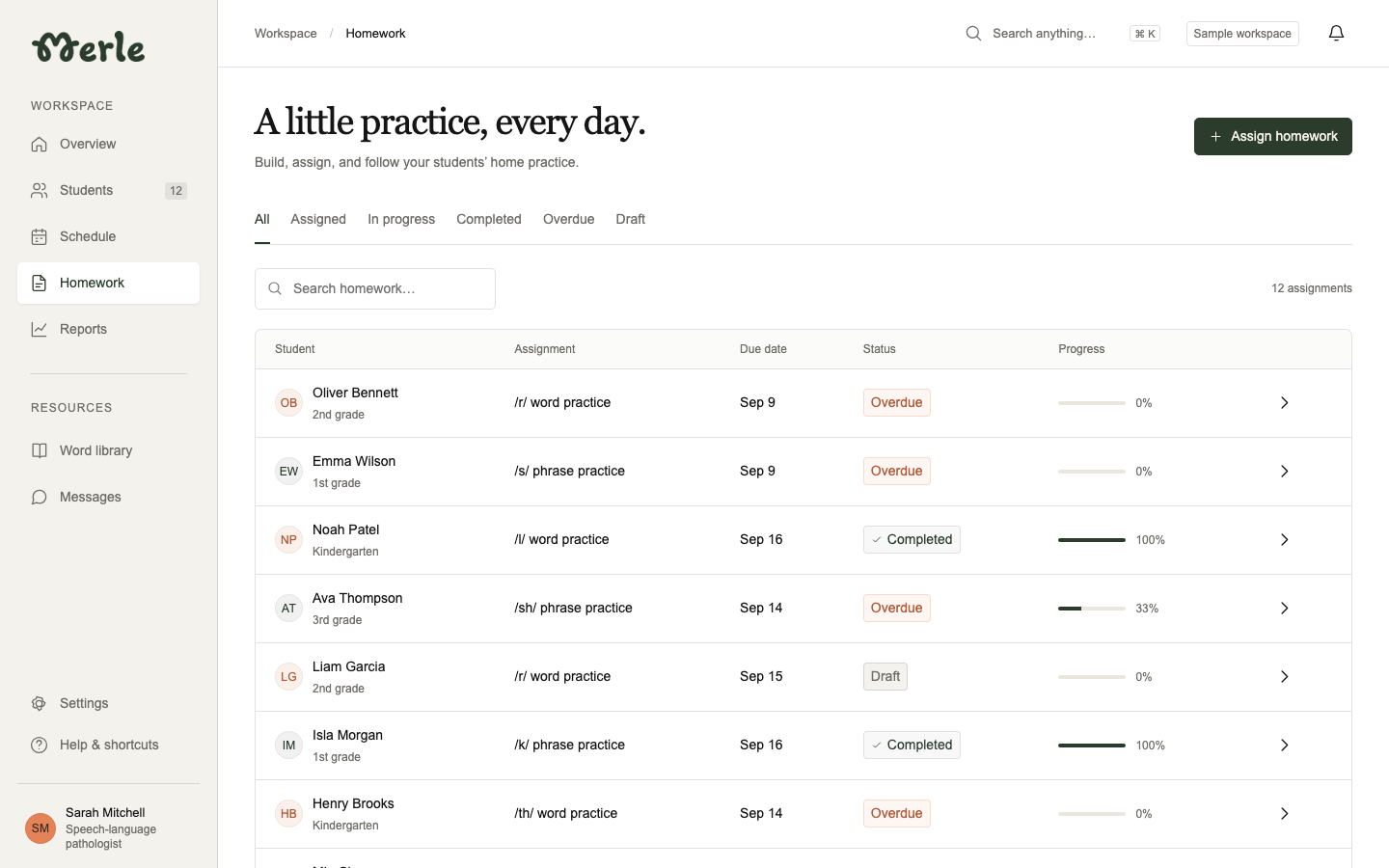
A little practice, every day.
Spriggy listens to speech attempts and uses AI analysis to choose a short, sound-specific cue when it can identify a useful correction. Children get something concrete to try, like adjusting their tongue or lips.
Spoken models and simple cues help children who are still learning to read.
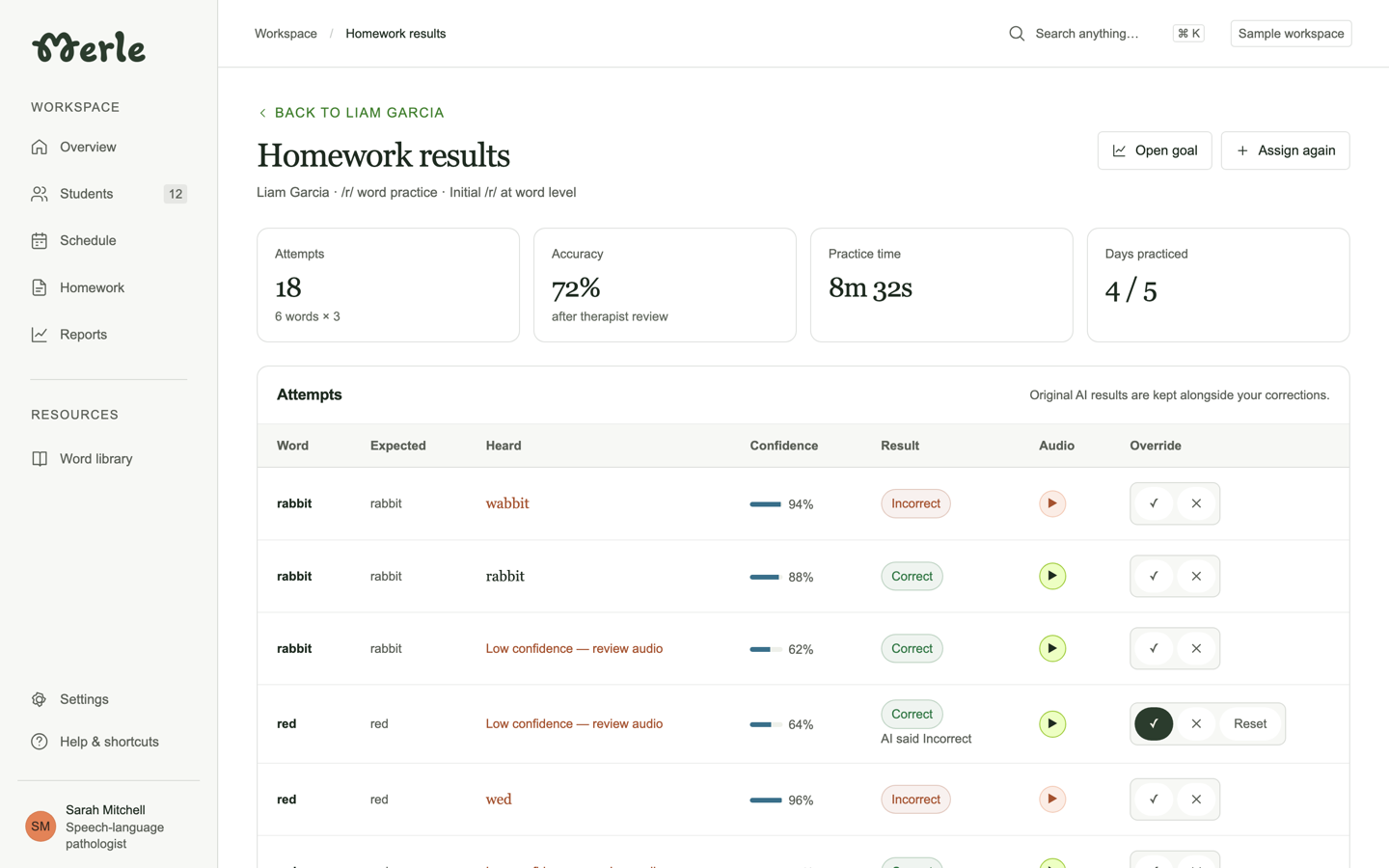
Liam Garcia · /r/ word practice
A CLOSER LOOK AT PROGRESS
Open a homework result to see the word practiced, its score, and the feedback given. Replay saved attempts to hear the difference for yourself. These practice tools start with Merle Free.
With optional review audio enabled, listen alongside the AI estimates. School adds progress filters and report exports for IEP preparation.
Explore the therapist toolsBUILT FOR YOUR PRACTICE
SEE IT ON YOUR CASELOAD
Build an assignment, try the games, and explore the progress view in a walkthrough tailored to your caseload.
See pricing